Table of Contents
- What Is School Management ERP Software?
- Core Modules and Features
- Custom-Built vs. Off-the-Shelf: Which One Actually Fits?
- How Much Does School ERP Software Development Cost?
- How Long Does It Take to Build One?
- The Technology Behind a Good School ERP
- Turning It Into a SaaS Product
- Why Build With Alphonic
- FAQs
If you’re researching school management ERP software development, you’ve probably already noticed the pattern: a dozen companies all selling the same thing, a login screen, a features page listing forty-plus modules, and a “book a demo” button. What you won’t find much of is anyone talking straight about what it costs to actually build one, how long it takes, or whether building beats buying in the first place. That’s the gap this post is here to close.
What Is School Management ERP Software Development, Exactly?
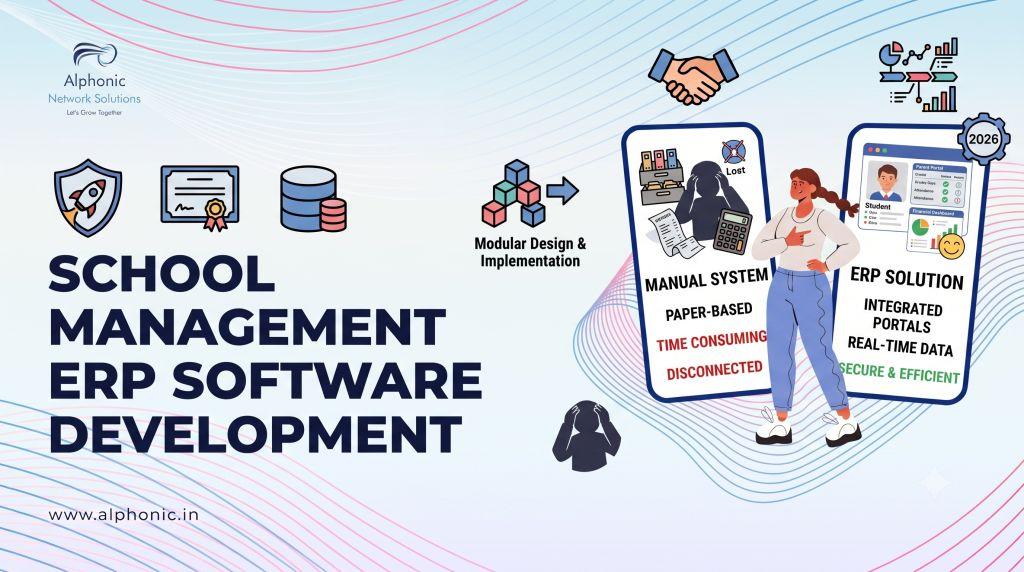
A school ERP is a single system that runs the academic and administrative side of a school, admissions, attendance, fees, exams, timetables, communication with parents, and usually a dozen smaller things that used to live on paper or in scattered spreadsheets.
The “ERP” label comes from business software (Enterprise Resource Planning), and the idea carries over cleanly: instead of five disconnected tools, one platform where a change in one place (a student withdraws, a fee gets paid, a grade gets entered) updates everywhere it needs to.
For India specifically, there’s an added layer that’s easy to forget until it’s too late: schools increasingly need their systems to support U-DISE reporting (the government’s unified data collection system for schools) and NEP 2020’s push toward data-driven, tech-enabled education. Skip that requirement at build time and someone’s scrambling to patch it in every March.
Core Modules and Features
Every school ERP on the market claims to have “all the features.” Most of them do. Feature-listing is cheap. What matters more is which of these your school actually needs versus which ones exist to pad a sales page.
Admissions and Enrollment
Online inquiry forms, document upload, application tracking, and auto-generated enrollment numbers. The good implementations also give admin staff a dashboard comparing this year’s admission funnel against last year’s, not just a list of applicants.
Attendance
Daily, period-wise, or subject-wise tracking, with automatic parent alerts when a student is marked absent. Biometric or RFID integration is common at larger schools; smaller ones are usually fine with manual or app-based marking.
Fee and Finance Management
Fee structure setup, online payment gateway, automated due reminders, receipt generation, and reporting on collections versus dues. Money is involved, so this module gets scrutinized harder than any other, and audit trails matter more here than anywhere else in the system.
Examination and Report Cards
Marks entry, grade calculation, report card generation, and (for boards like CBSE, ICSE, or IB) templates that match what the board actually expects on paper. Multi-year performance comparison is a feature worth having, not just this term’s results in isolation.
Timetable and Academic Planning
Class scheduling, teacher allocation, lesson plans, and syllabus tracking. Small detail that matters more than it sounds: the system should make it easy to update a timetable mid-term without breaking every other module that depends on it.
Parent and Teacher Communication
Push notifications, SMS, circulars, and a proper record of what was communicated and when. When a parent says “nobody told me,” the school needs to be able to show otherwise.
Transport Management
Route planning, GPS tracking, and boarding and de-boarding alerts. Parents want to know where the bus is, and at this point they expect it, not ask for it as a bonus.
Library and Inventory
Book issuance and returns, barcode support, and stock tracking for everything from textbooks to uniforms.
HR and Payroll
Staff records, attendance, leave management, and salary processing, including the India-specific calculations (PF, ESI, TDS) that a generic payroll tool won’t handle out of the box.
A useful ERP doesn’t try to cram every module above into a single MVP. It nails admissions, attendance, fees, and communication first, since those are the four things every school actually touches daily, and adds the rest based on what the school asks for next.
Custom-Built vs. Off-the-Shelf: Which One Actually Fits?
Both are legitimate options, and the honest answer is that it depends on where the school sits, not on which approach is objectively better.
Off-the-shelf platforms (the ones selling subscriptions with 40+ modules already built) get you running in days, not months. The tradeoff is you’re working inside someone else’s design decisions. Want a workflow that doesn’t match how the vendor built it? You wait for a feature request, or you don’t get it.
Custom development costs more upfront and takes longer to launch, but the system fits how the school actually operates instead of the other way around. It also means you own the data architecture outright, which matters if you’re planning to eventually license the system to other schools (more on that below).
A rough way to think about it: if the school’s processes are fairly standard, off-the-shelf gets you 90% of the way there for a fraction of the cost. If the school has real, unusual requirements, multiple boards under one roof, a hostel and transport network that doesn’t map to typical modules, or plans to eventually resell the system, custom starts to make more financial sense the moment you project two or three years out.
How Much Does School Management ERP Software Development Cost?
Cost scales with scope, not with how many modules are on a wishlist. Three realistic tiers of school management ERP software development:
Single-school MVP (admissions, attendance, fees, communication, basic exam module): the smallest viable version of a real school ERP. Priced around what a mid-sized custom web application costs, roughly the same range as building a solid e-commerce platform from scratch.
Full-featured single or multi-campus system (everything above, plus transport, library, HR/payroll, and board-specific report card templates): a meaningfully larger build, usually two to three times the MVP cost, since payroll and multi-campus data sync are hard engineering problems, not just extra screens.
District or multi-tenant SaaS-ready platform (built to be resold to multiple schools, with proper tenant isolation, role-based access at scale, and infrastructure that doesn’t buckle when campus number twenty joins): the highest tier, and the one where the SaaS ambition below actually starts to pay for itself.
The exact number depends on integrations (payment gateways, SMS providers, biometric hardware), how many boards or curricula the system needs to support, and how much of the compliance and reporting layer (U-DISE, in India’s case) gets built in from day one versus bolted on later. A proper quote needs a scoping call, not a number pulled from a blog post, but this gives a realistic sense of where the tiers land relative to each other.
How Long Does It Take to Build One?
For a straightforward MVP with the four core modules, a realistic build runs about one month. That’s tight but doable when the scope stays limited to admissions, attendance, fees, and communication, and nothing else gets added mid-build.
A fuller system with transport, library, HR/payroll, and multi-board exam support typically takes closer to two to three months, mostly because payroll compliance and multi-campus data handling need real testing time, not just development time.
Either way, the timeline holds only if requirements are locked before development starts. The single biggest thing that blows past these numbers isn’t bad coding, it’s a school adding “one more module” three weeks before launch.
The Technology Behind a Good School ERP
None of the ERP vendors selling subscriptions tell you what their systems are actually built on, which is fair enough, it’s not their customers’ concern when they’re buying a finished product. It matters a lot more when you’re commissioning a custom build, because the stack determines how well the system scales, how easy it is to maintain, and how much a future developer will curse your name.
For a system handling this much concurrent data (attendance marked by hundreds of teachers at once, fee payments processed in real time, parent apps pulling live updates), a solid combination is a Node.js backend for handling real-time updates and API load, paired with PHP or Laravel if the school prefers a more traditional, widely-supported foundation for the admin and reporting side. For the parent and teacher-facing apps, React.js on the frontend keeps the interface responsive without turning every screen into its own engineering project.
If you already know which stack you want and just need people who know it well, our hire developers page breaks down engagement by specialization rather than a one-size-fits-all quote.
Turning It Into a SaaS Product
Here’s the part most schools building their first ERP don’t think about until someone else brings it up: once a custom system works well for one school, there’s often a real business sitting inside it.
The same core platform, rebuilt with proper multi-tenancy (each school’s data kept cleanly isolated, but running on shared infrastructure), can be licensed out to other schools as a subscription product instead of staying a one-off internal tool. This is how a few of the bigger names in this space started, from what’s publicly known: a single institution’s internal system, refined, then opened up as a product.
It’s not automatic, though. A handful of well-known school ERP platforms on the market today did start life this way, as one institution’s internal tool that got good enough to sell, though we won’t name names here since we can’t verify each company’s origin story firsthand. Turning a single-school build into something sellable means solving problems the original version never had to: per-school billing, role-based access that scales cleanly across dozens of separate customers instead of one, a support structure that doesn’t rely on the original school’s IT person answering every ticket, and infrastructure that holds up whether five schools are using it or five hundred.
If this is even a possibility down the line, design the data architecture with that future in mind from the first build. Retrofitting multi-tenancy into a system that was never built for it is a much bigger job than building it in from day one, we’ve seen that rework cost more than the original project.
Why Build With Alphonic
We’re not selling a pre-built ERP with a login page and a features list. We build the system around how your school (or your future customers, if the SaaS route is the plan) actually work, choose a tech stack that fits the real scale of the problem, and stay honest about what a realistic timeline and budget look like before any code gets written.
Whether the goal is a single, well-built system for one institution or a platform designed from the start to become a product, that’s a conversation worth having before development starts, not after.
FAQs
How much does it cost to build a school management ERP system?
It depends on scope. A single-school MVP covering admissions, attendance, fees, and communication sits at the lower end, comparable to a mid-sized custom web application. A full-featured system with payroll, transport, and multi-campus support runs two to three times that. A multi-tenant SaaS-ready platform is the largest investment but the one that opens up licensing as a revenue stream.
How long does school ERP software development take?
A core-module MVP takes about a month. A fuller system with HR/payroll, transport, and multi-board exam support typically takes two to three months. The timeline holds as long as requirements are locked before development starts.
Is custom school ERP development better than buying an off-the-shelf platform?
Neither is universally better. Off-the-shelf gets a school running fast and costs less upfront, but locks you into someone else’s workflow decisions. Custom costs more and takes longer but fits the school’s actual processes and gives full ownership of the system, which matters a lot if there’s any future SaaS ambition.
What are the must-have modules for a school ERP MVP?
Admissions, attendance, fee management, and parent-teacher communication. These four cover what a school touches every single day. Everything else, transport, library, HR, exams, can be added once the core is live and working.
Can a school ERP support multiple campuses or boards?
Yes, but it needs to be architected for that from the start. Multi-campus data sync and multi-board report card templates (CBSE, ICSE, IB, each with different formats) are meaningfully more complex than a single-campus, single-board build, and it shows up in both cost and timeline.
Can a school ERP built for one school later be sold to other schools?
Yes, provided it was built (or is rebuilt) with proper multi-tenancy, isolated data per school, scalable role-based access, and billing infrastructure. This is a common path from internal tool to actual product, but it works out much better when planned for early rather than bolted on after the fact.
Does a school ERP need to support U-DISE reporting?
For schools in India, yes, this is worth building in from the start rather than treating as an afterthought, since it’s a recurring government reporting requirement, not a one-time feature.
What technology stack is best for a school ERP?
It depends on the specific needs, but a Node.js or PHP/Laravel backend paired with a React.js frontend handles the real-time updates (attendance, fee payments, live parent notifications) that a school ERP deals with constantly, without over-engineering the simpler admin screens.
How do I know if my school needs a custom ERP instead of an existing platform?
If your school management ERP software development requirements are fairly standard, one board, one campus, typical modules, an existing platform will likely cover 90% of what you need for a lot less money. Custom starts making more sense when requirements are actually unusual, or when there’s a realistic plan to eventually offer the system to other schools.